I grew up with a very clear mantra: everything starts on paper. Hand sketching gives you a free canvas and an ideal mental rhythm to explore concepts without friction. That stage is sacred. But when deadlines tighten and the business needs to see tangible progress, efficiency is key. That’s where generative AI comes in as a catalyst: it accelerates the transition from concept to visual prototype, and later, to a functional mockup.
Below, I’ll share a proven UI/UX workflow that combines the best of the classic method (sketch and wireframe) with AI and codegen tools, while keeping expectations and professional quality at every stage.
From Sketch to Mockup, Without Losing Clarity
Start with a hand-drawn wireframe. A 1-minute drawing is enough if you include structure, hierarchy, and placeholders for graphics and content. Add clear annotations; your sketch doesn’t need to be pretty, just legible.
For this example, we’ll be creating a simple app to keep track of the scoreboard between 2 players.
The sketch is horrible as hell, but that’s the point of this exercise, to create a good app from a very simple idea.
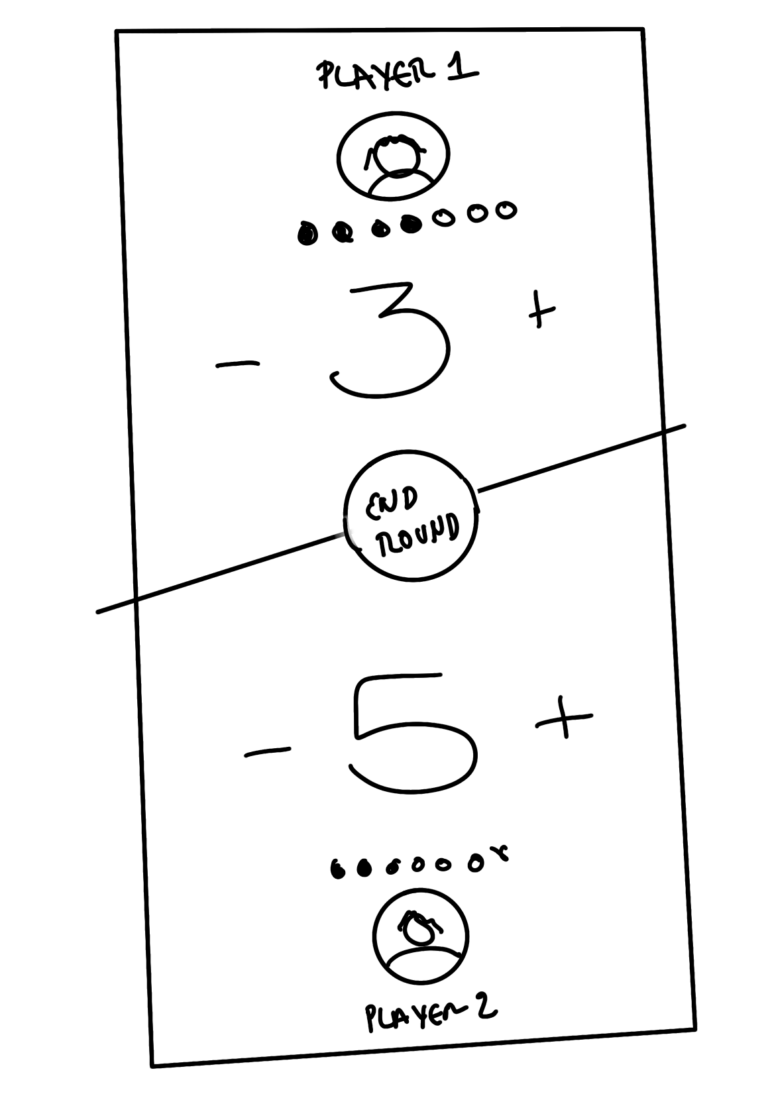
Upload the wireframe to a generative model with visual capabilities. You can use a multimodal LLM that accepts images and returns a mockup. An effective prompt could be:
“I’m going to share a hand-drawn wireframe with annotations, placeholders, and very low-quality graphics. I need you to turn it into a UI mockup with real components. Replace the placeholders with real graphics and elements. I want a realistic UI as if madde in figma.”
Iterate within the same chat. Ask for changes in palette, type of graphics, spacing, or visual density. Keep instructions specific and precise.
This is its proposal. Not so bad, enough for our example:
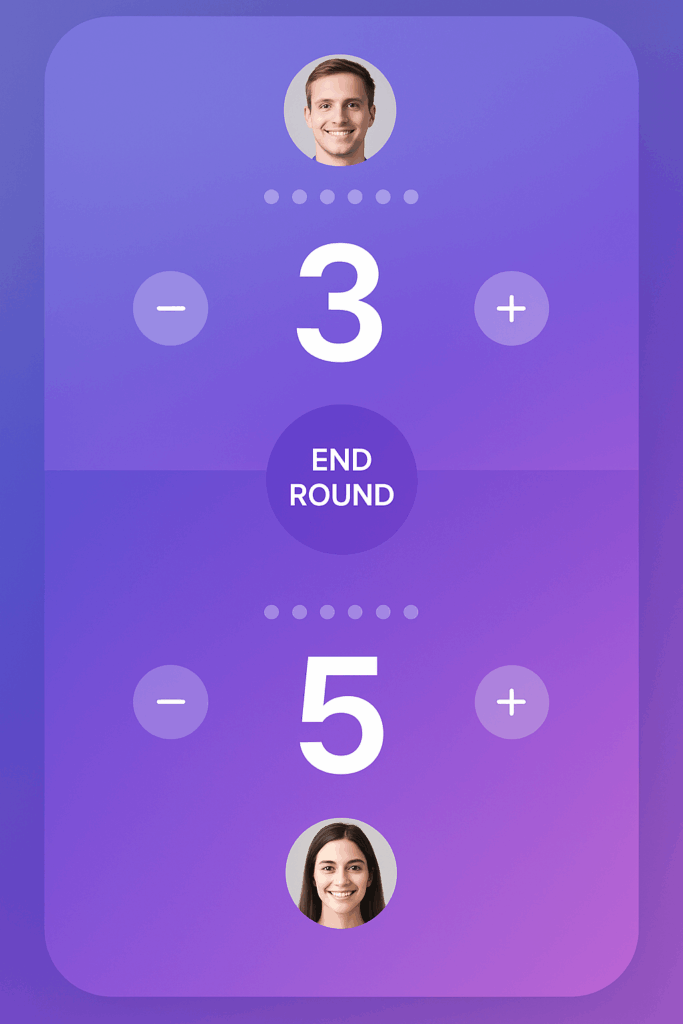
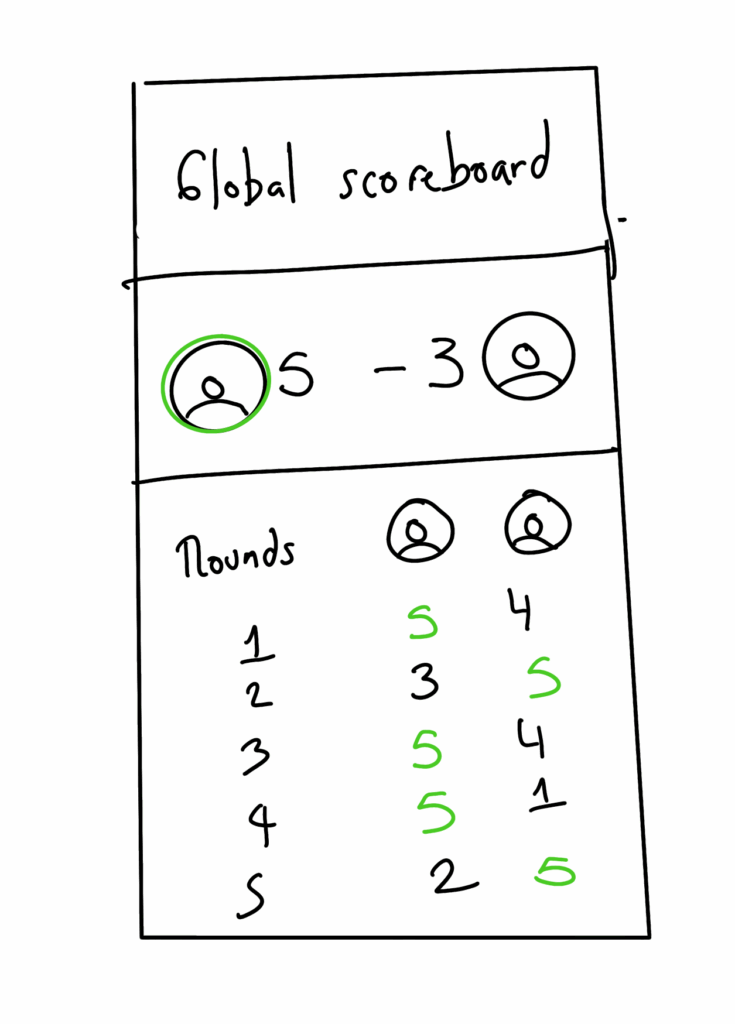
When you like the result, create a new chat and “lock in” that style. Share the main screen and then upload new wireframes for other screens, requesting:
“Keep the same graphic and UI style from the main screen. Standardize measurements, rhythm, and design system.”
You’ll get a consistent set of screens, enough for an internal version 1 exploration.
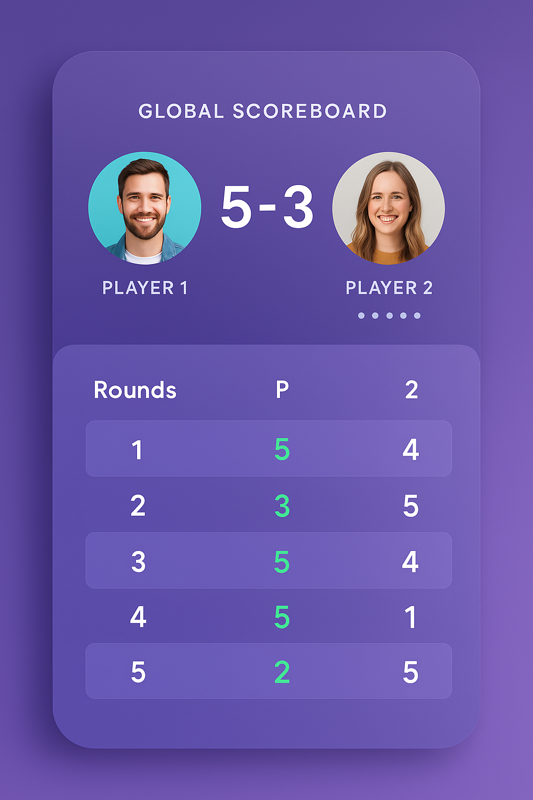
Professional note:
This material is not a good design; at all. Don’t use it for final client presentations, production or anything besides rapid propotyping. Fonts, branding, logos, and some graphics must be adjusted manually to meet real guidelines.
Use it as quick conceptualization for your team, or with clients if they understand it’s a pre-mockup. Later, refine in your vector tool, integrate branding, tokenize styles, and align components with your design system.
From Visual Mockup to Code Prototype
Once you have coherent screens, it’s time for quick technical prototyping. The idea is not to build the product, but to validate flows, microinteractions, and basic feasibility.
Send the mockup images to a model that reads images and generates code. In the prompt, request:
“I need this design in HTML, CSS, and vanilla JavaScript. Reproduce it as faithfully as possible. Generate the CSS in a separate document. Structure repetitive elements into separate files. If you use templates, place them in referenceable files.”
The resulting HTML+CSS looks like this out of the LLM. Pretty close, right?
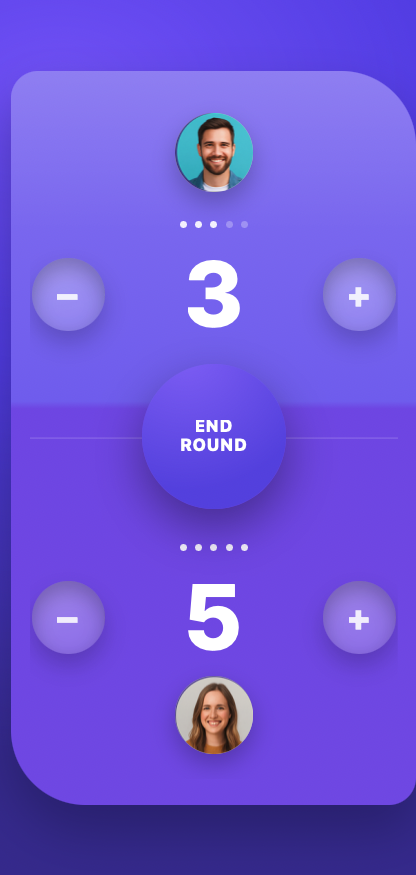
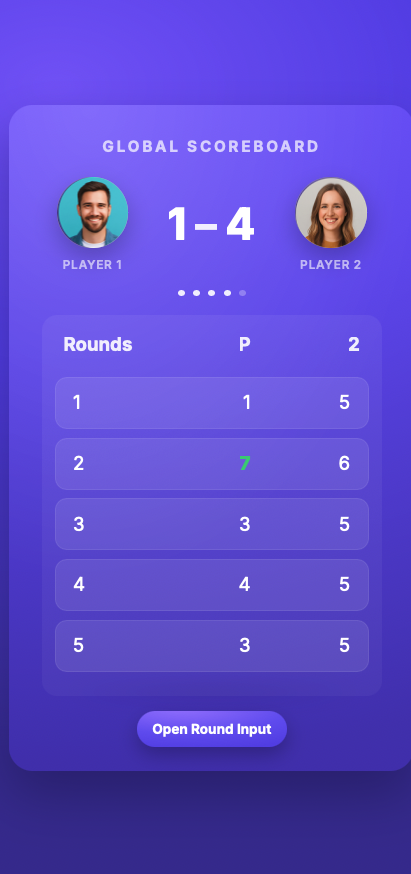
Now, we need to make it work as planned, so it can be a real prototype. So let’s import it into Cursor and ask it to make a working prototype, describing the functionality it should have.
We’ll use the next very simple prompt:
This is the design for an scoreboard app.
It needs to start index and the user will be able to start a new round at @round.php . That round starts 0-0 and the users can add or decrease points.
When the users click on END ROUND, it should save that round in PHP SESSION and populate the global scoreboard as well as the detail of each round, highlighting the winner in each.
Add a button to start a new game (global Scoreboard to 0)
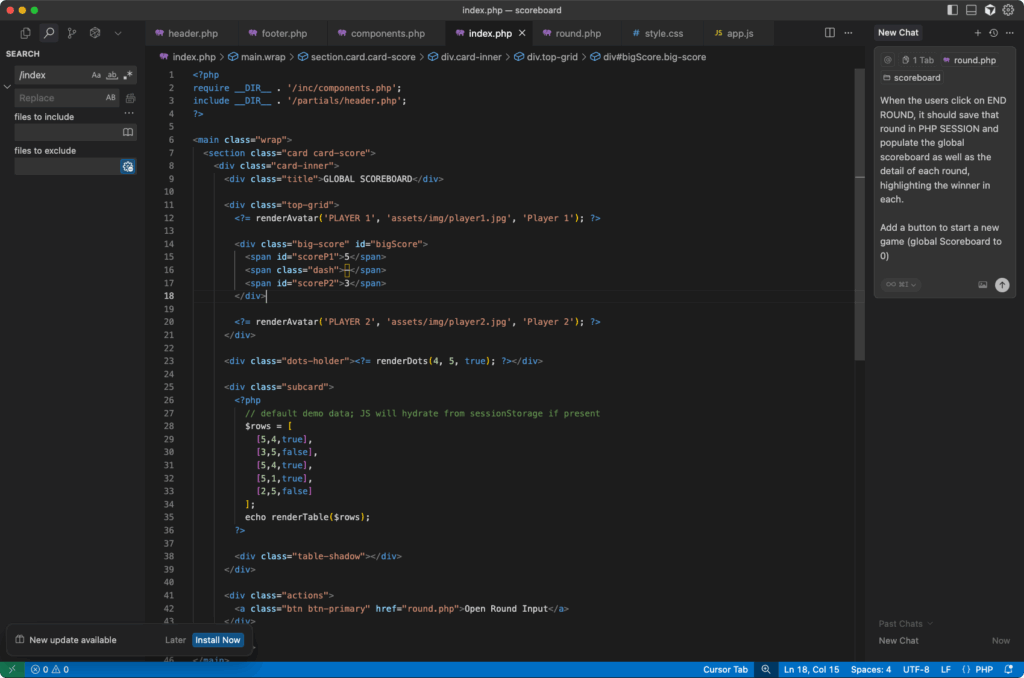
We’ll leave Cursor doing its magic until we have a result. For now, we won’t iterate on the result to improve it, just use the finished app as is; to simplify this example.
The final result is this one:
It works!
Well, it has a lot of visible problems and rough edges. It’s not a shippable app by any means, in any circumstance. However, as a prototype, made in 15 minutes, it works.
This prototype is not secure or production-ready. It doesn’t handle real persistence, permissions, hardening, or audits. That’s fine: it’s a prototype to validate design, interaction, and functional narrative.
Once the client sees “how it works” and the team aligns criteria, move to the product phase: architecture, real database, design tokenization, accessibility, testing, performance, and security.
It reduces decision costs: in ~15 minutes you can have a functional mockup to evaluate, without committing to an architecture that might change.
Final thoughts
Generative AI doesn’t replace the judgment of the designer or the engineer; as we can see. However, it amplifies their reach when time and business demand it. Sketch, prototype, validate quickly, and then build with rigor.
If you have ideas or adjustments to improve this workflow, I’d love to hear them.